 Swiftlisted
How to Crosslist Facebook Marketplace to Grailed
If you already sell men's fashion, streetwear, or vintage clothing on Facebook Marketplace, expanding to Grailed is one of the most effective ways to reach dedicated buyers. While Facebook Marketplace captures broad local and nationwide shoppers, Grailed connects you directly with enthusiasts searching for specific brands and designer tags. Crosslisting between these platforms manually can be tedious, but with Swiftlisted, you can import your existing Facebook inventory and post it to Grailed in just a few clicks.
Understanding the Platform Differences
Facebook Marketplace and Grailed serve distinctly different audiences and require different listing structures. Facebook Marketplace relies on broad categories and flexible local or nationwide delivery options, appealing to everyday casual buyers. Grailed, on the other hand, is a curated platform built specifically around streetwear, menswear, designer fashion, and high-end vintage items.
When you crosslist from Facebook Marketplace to Grailed, the main challenge lies in taxonomy. Grailed requires precise brand tags, department tags, and accurate sizing formats. A simple description that works for local pickup on Facebook Marketplace needs proper structured metadata on Grailed to show up in search results. Using an automated crosslister ensures that these key fields translate smoothly without needing to copy and paste photos or descriptions by hand.
Prerequisites for Desktop Crosslisting
Before you begin crosslisting your stock, make sure you have the right setup ready. Swiftlisted runs its listing automation through a desktop browser extension, meaning you will need a computer rather than a mobile device.
- A computer (Mac, Windows, or Linux) running the Google Chrome browser.
- The official Swiftlisted Chrome extension installed from the Chrome Web Store.
- Active seller accounts on both Facebook Marketplace and Grailed.
- An open browser tab where you are signed in to both platforms in the same Chrome profile.
Step 1: Import Your Facebook Marketplace Listings
To start moving your inventory, open your Swiftlisted dashboard on your desktop browser. If you already have active items on Facebook Marketplace, you do not need to upload photos again or rewrite descriptions.
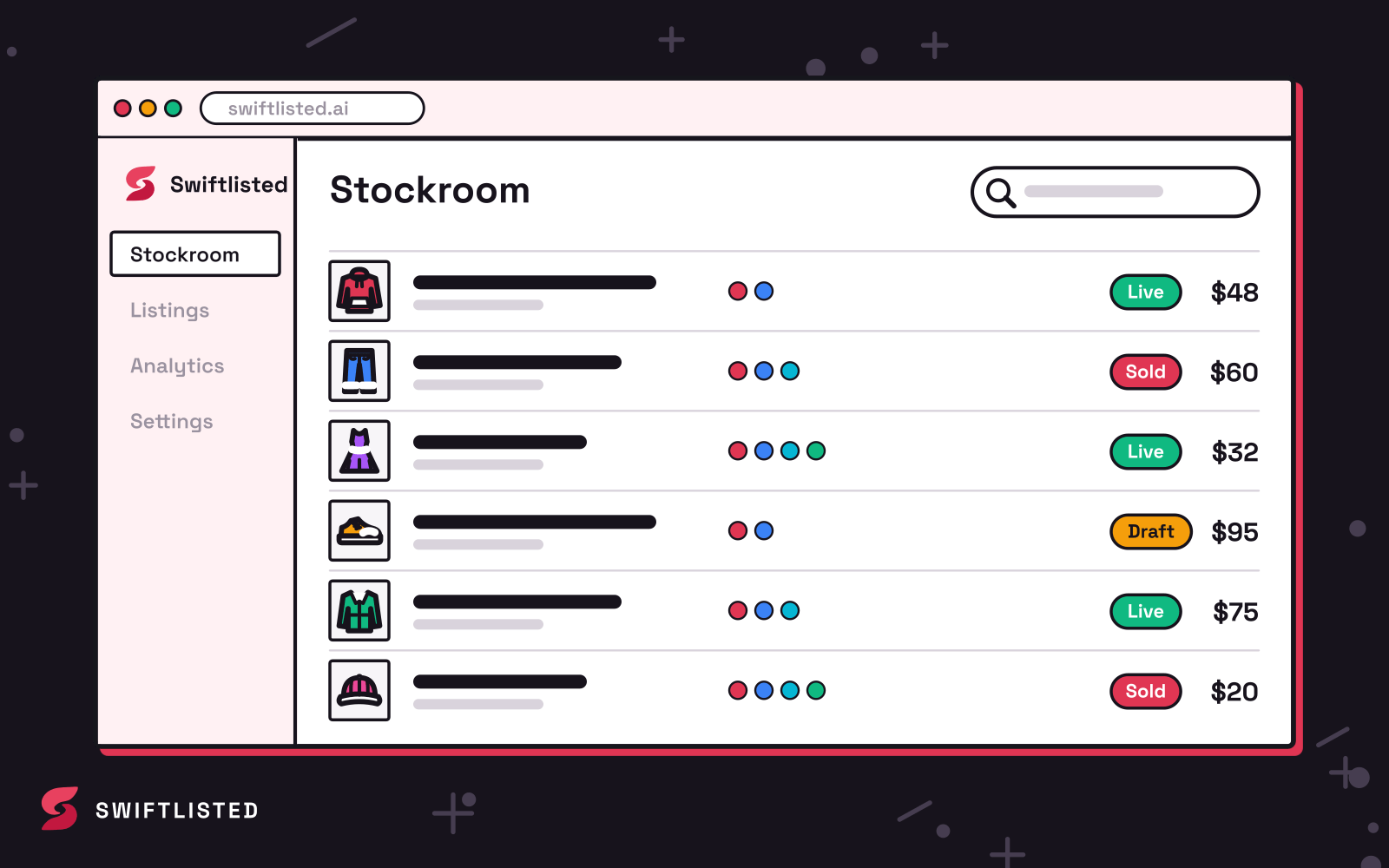
Navigate to the import tool inside Swiftlisted and select Facebook Marketplace. Swiftlisted will scan your active listings and pull in their images, titles, descriptions, prices, and basic details into your central inventory grid, known as the Stockroom. If an item was previously created or imported, Swiftlisted merges duplicates automatically to keep your inventory organised.
Step 2: Refine Brand and Category Mapping for Grailed
Because Grailed relies on a strict taxonomy of designers and menswear subcategories, you should review your imported items before hitting publish. Facebook's broad categories do not always match Grailed's specific designer list or department structure.
In the Stockroom grid, select the item you want to edit. Swiftlisted's AI helps convert universal categories into Grailed-specific tags, matching designer names and sizing rules automatically. You can review and adjust any field—including title, description, price, size, and condition—directly in the grid. If a brand is missing from Grailed's official directory, Swiftlisted automatically falls back to an acceptable secondary classification to prevent listing failures.
Step 3: Publish to Grailed and Enable Sold Detection
Once your item details are confirmed, select the items you want to publish, choose Grailed as your target marketplace, and click the crosslist button. The Swiftlisted Chrome extension will run through your browser session in sequence, creating the new Grailed draft or live listing.
After your items are active on both platforms, inventory management becomes effortless. Swiftlisted includes automated sold detection. When an item sells on Grailed, Swiftlisted flags it as sold and automatically removes the item from Facebook Marketplace so you never double-sell. Similarly, if an item sells on Facebook, Swiftlisted periodically scans your account and delists it from Grailed to protect your seller metrics.
Common questions
- Do I need to re-upload my photos when crosslisting from Facebook to Grailed?
- No. When you import your live Facebook Marketplace listings into Swiftlisted, all existing photos and descriptions are saved directly into your Stockroom inventory. You can crosslist them immediately to Grailed without taking new pictures.
- Can I list items on Grailed using my phone?
- You can view your inventory, check analytics, and manage settings on a mobile device, but active crosslisting requires Google Chrome on a desktop or laptop computer because the extension handles the browser automation.
- How does Swiftlisted handle Grailed's specific designer and category tags?
- Swiftlisted translates universal categories and brand names into Grailed's specific menswear and streetwear taxonomy automatically. You can also verify or edit designer tags inside your Stockroom grid prior to posting.
- What happens if an item sells on Facebook Marketplace?
- Swiftlisted monitors your connected platforms for sales. When a sale occurs on Facebook Marketplace or Grailed, the item is marked as sold in your central inventory and delisted from your other connected channels to prevent double-selling.
List once, sell everywhere
Swiftlisted photographs, describes and crosslists your stock across every marketplace you sell on — then delists it everywhere when it sells.
Start free trial