 Swiftlisted
How to Crosslist from Shopify to eBay Without Retyping Your Catalogue
If you already run an independent storefront on Shopify, expanding to eBay is one of the fastest ways to increase sales. Shopify gives you complete control over your brand, but eBay brings a massive global audience actively searching for second-hand clothing, vintage items, and unique collectibles. However, copying every title, description, price, and image by hand is exhausting. Worse still, selling a unique piece on Shopify while it remains active on eBay creates a constant risk of double-selling. This guide walks you through how to crosslist your Shopify items directly to eBay without retyping your catalogue, using Swiftlisted to automate category mapping and real-time inventory sync.
Why Shopify and eBay Require Different Listing Structures
Shopify and eBay sit at opposite ends of the e-commerce spectrum. Shopify is an independent e-commerce store built around custom collections, flexible tags, and open-ended product descriptions. You decide how your products are structured, which means your listings do not need to fit into a rigid cataloguing system.
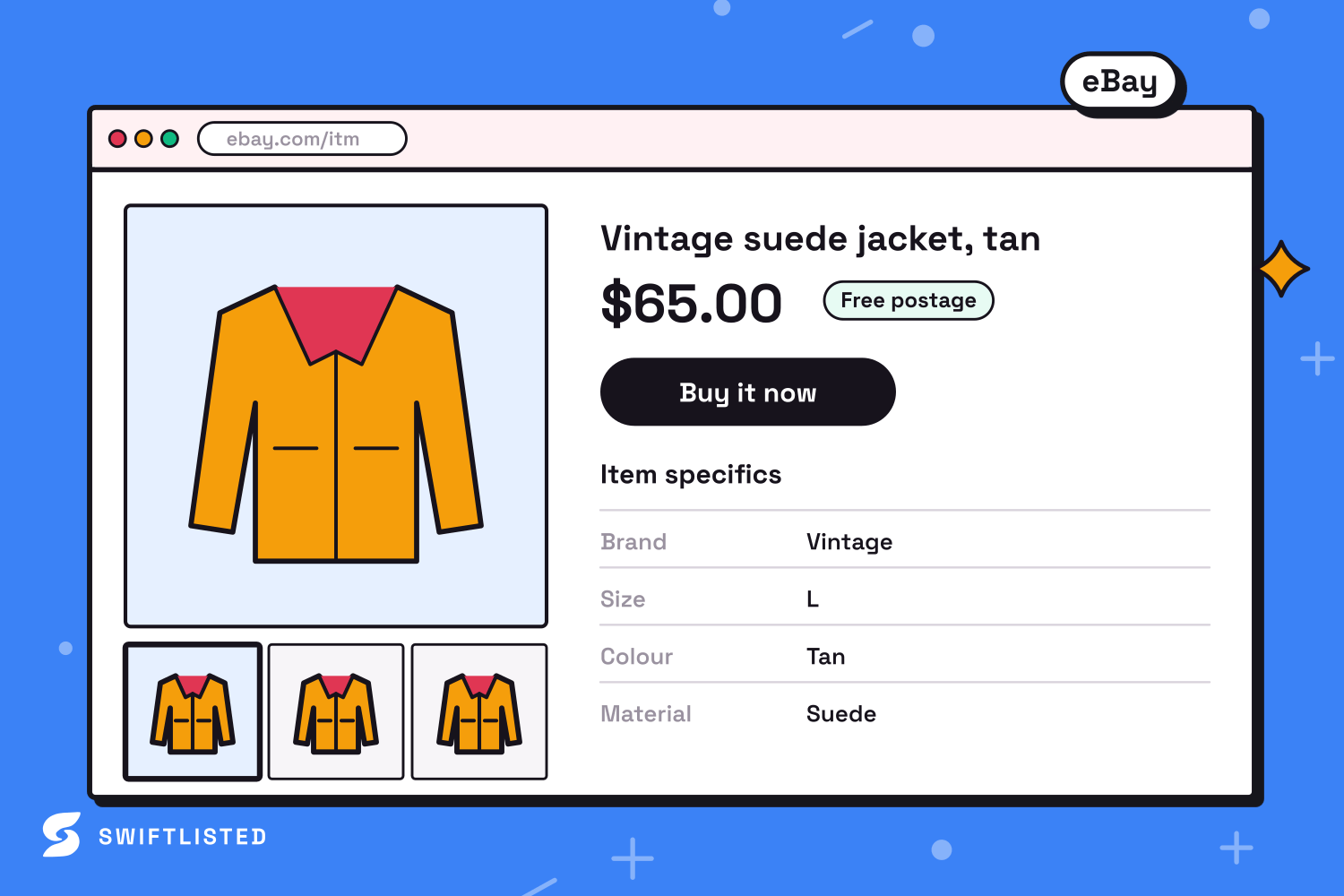
eBay, on the other hand, is a global marketplace that relies heavily on structured data. To rank in eBay search results and help buyers filter products, listings must fit into precise category trees and include detailed Item Specifics such as brand, size, style, material, and colour. If these required fields are missing, eBay will reject the listing or bury it in search.
When crosslisting manually, translating Shopify's unstructured tags into eBay's required item specifics takes up most of your time. A proper crosslisting workflow handles this translation layer for you, converting your Shopify product attributes into eBay-compliant fields automatically.
Step 1: Connect Shopify and eBay via Official APIs
Before moving inventory, you need to link both stores to Swiftlisted. Unlike marketplaces that rely purely on browser automation, both Shopify and eBay support official API integrations. This means once you authorise the connections, listing operations and sold notifications can run directly between the platforms without requiring your browser tab to remain active constantly.
To get started, make sure you are logged into your Shopify admin portal and your eBay seller account in Google Chrome on your desktop or laptop. Next, install the Swiftlisted Chrome extension from the Chrome Web Store.
- Ensure you are logged into your Shopify admin portal in Chrome.
- Ensure the Swiftlisted extension has permission for your shopify domain.
- Link your store in Swiftlisted Integrations to import active listings.
- Ensure you are logged into your eBay account in Google Chrome.
- Authorise the official eBay connection in Swiftlisted Integrations.
Step 2: Import Your Shopify Catalogue into Your Stockroom
Once connected, you do not need to re-photograph items or paste text into new listing forms. Swiftlisted allows you to import active listings from your Shopify store directly into your central inventory hub, known as the Stockroom.
During the import process, Swiftlisted pulls your high-resolution images, original product titles, descriptions, prices, and existing inventory details. If you have already created listings in Swiftlisted previously, the system detects duplicates and merges imported data into existing records rather than creating redundant items.
Importing your Shopify catalogue brings all your products into an editable grid format, where you can prepare them for publishing onto eBay.
Step 3: Map Categories and Item Specifics for eBay
Because eBay demands specific product attributes, reviewing your imported Shopify items before posting is essential. In your Stockroom grid, select the items you wish to crosslist. Swiftlisted uses universal category mapping to translate your Shopify item type into eBay's exact category tree.
At the same time, item details like brand, size, condition, and colour are mapped dynamically to match eBay's required item specifics. If a specific brand is missing from eBay's approved list, the system falls back to an approved alternative like 'Other' to ensure the submission succeeds.
During this review phase, you can also adjust your eBay prices independently. For instance, if you want to increase your eBay listing price slightly to account for marketplace selling fees while keeping your Shopify store price lower, you can apply a price override per marketplace right in the grid.
Step 4: Crosslist to eBay and Enable Real-Time Sold Sync
With your fields approved, select up to 50 items at a time in the bulk listing window and click list. Because eBay uses an official API connection, Swiftlisted transmits the draft data directly to eBay, uploading images, setting categories, and filling out item specifics in seconds.
If a specific required field was missed during review, Swiftlisted flags that individual item in your Activity feed while allowing the rest of the batch to post successfully. You can simply correct the missing attribute and retry the flagged item without restarting the entire run.
Once your items are live on both Shopify and eBay, real-time inventory protection takes over. Both eBay and Shopify notify Swiftlisted the moment an order is placed. When an item sells on your Shopify site, Swiftlisted immediately detects the sale and delists the corresponding item from eBay (and any other connected marketplaces like Depop or Vinted) to prevent double-sales.
Common questions
- Do I need the Chrome extension to crosslist between Shopify and eBay?
- Because both Shopify and eBay connect via official APIs, core actions like importing, listing generation, and inventory sync work directly through the dashboard. However, you will need Google Chrome on a desktop or laptop to complete the initial setup and install the extension.
- Will selling an item on eBay automatically delist it from my Shopify store?
- Yes. Both eBay and Shopify send real-time order notifications to Swiftlisted. When an item sells on eBay, Swiftlisted records the sale and automatically delists the item from Shopify so you never sell the same inventory twice.
- Can I set different prices for Shopify and eBay?
- Yes. You can override pricing per marketplace inside the Stockroom grid before listing, allowing you to cover higher marketplace fees on eBay while maintaining lower prices on your independent Shopify site.
- What happens if a listing fails to post to eBay?
- If an item fails due to a missing required field (like an unselected size or category mismatch), the rest of your bulk listing run continues unaffected. The failed item stays in your Stockroom, and the exact error reason is logged in your Activity feed so you can fix it and retry.
List once, sell everywhere
Swiftlisted photographs, describes and crosslists your stock across every marketplace you sell on — then delists it everywhere when it sells.
Start free trial