 Swiftlisted
How Sold Detection Works When You Crosslist
A crosslister learns that an item has sold in one of two ways: it is told by the marketplace, or it checks the marketplace on a schedule and notices the listing has gone. Which one applies to your shop decides how long your other listings stay live after a sale, and therefore how likely you are to sell the same thing twice. This guide explains how sold detection works, what to expect on each kind of connection, and what you can do today to reduce double sales.
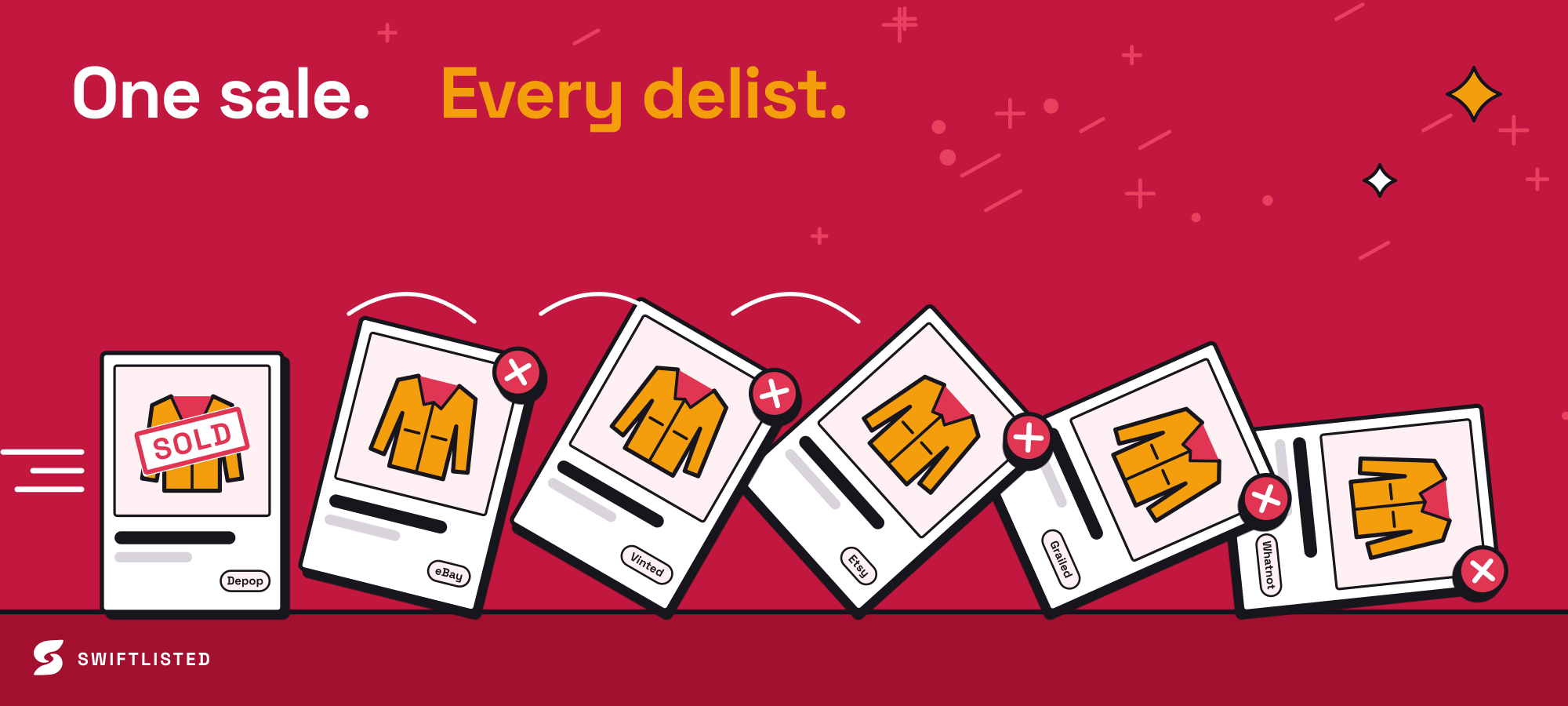
The two ways a sale gets noticed
Every crosslister needs some way of finding out that a listing has sold. The first method is a push: the marketplace sends the crosslister a message the moment an order is placed. The second is a pull: the crosslister asks the marketplace, on a repeating schedule, whether anything has sold since it last looked.
Push is faster in principle because the gap between the sale and the notification is small. Pull depends on how often the check runs, so a sale can sit unnoticed for as long as the gap between checks. Neither method is perfect, and the difference matters most when you hold a single unit of something popular.
In Swiftlisted, eBay and Shopify connect over their official APIs, and the order notification from those platforms is what lets Swiftlisted mark an item sold and delist it elsewhere without waiting for a scan. Depop, Etsy, Facebook Marketplace, Grailed, Vestiaire Collective, Vinted and Whatnot are checked on a schedule instead. Facebook Marketplace is checked once an hour, because it is the strictest of these platforms about automated traffic on a personal account, so it has the longest window of the lot.
How long a sale can take to reach your other shops
The delay is the window in which a second buyer can purchase the same item. For an API-connected marketplace that window is usually short, because the sale arrives as it happens. For a scheduled marketplace it is the time until the next check, plus the time it takes to remove the other listings after that.
Work out your own worst case rather than relying on a general figure. Look at how often your scheduled marketplaces are checked, add the time it takes to delist elsewhere, and you have the period in which a double sale is possible. Items you have only one of, and items that sell quickly, carry the most risk in that window.
- Check which of your marketplaces connect over an official API and which are scheduled.
- Treat Facebook Marketplace as the slowest link and price your single-unit items with that in mind.
- Note that the timing and cadence of checks can change, so confirm the current behaviour rather than assuming it.
Where double sales really come from
A double sale is almost never caused by the delay alone. It usually happens when a listing is sold on one marketplace while the same item is also live somewhere else, and the other listing is not pulled quickly enough. A buyer on the second marketplace then buys a unit that no longer exists.
Swiftlisted is built to avoid guessing here. It delists an item everywhere else only once it has positive proof of a sale, so a listing that has simply disappeared from a marketplace is not treated as a sale. That is deliberate, because a false delist costs you live listings. The trade-off is that a genuine sale still has to be confirmed before the other copies come down, so the window described above still exists.
Automation adds its own risks. Chrome extension marketplaces depend on your browser being signed in to them. If you are signed out, a delist cannot run, and the item may stay live on that marketplace after it has sold elsewhere. Swiftlisted stops and tells you which marketplace needs a login rather than failing silently, but you still have to act on that message. Sales made directly on a marketplace, outside any crosslister, will not be seen by the tool at all until the next check.
A worked example
Suppose you have one vintage denim jacket live on four marketplaces. An eBay order arrives and is recorded as soon as the notification comes through, so the jacket is marked sold and the other three listings are removed. The risk is small because the sale was caught at once.
Now suppose the same jacket is also live on Depop, which is checked on a schedule, and a buyer purchases it there at 10am. If the next Depop check runs at 11am, a buyer on another scheduled marketplace could still see the item as available until then. Your protection is the scheduled gap plus the time to delist. The jacket is the same, but the risk is not, because it depends on which platform the sale happened on.
The practical lesson is to keep the number of scheduled marketplaces carrying a single unit as low as your sales allow, and to check the Activity feed after any sale so you can see the order in which things happened.
What to check today
Most double sales can be reduced with a few habits rather than a better tool. Start by checking your current setup, then build the habits into how you list each new batch.
Keep your marketplace sessions signed in, because a delist cannot run without them. Use the Activity feed to confirm that sales and delists happened in the order you expected. Be cautious about listing a single unit on every marketplace at once if you are unsure of the timing; for high-value or one-off pieces, a shorter list of platforms reduces exposure.
Finally, do not treat automation as a guarantee. Sold detection reduces the chance of a double sale, and it cannot remove it. Keep an eye on sales on the marketplaces themselves, and handle any double sale quickly and honestly with the buyer.
- Keep every extension marketplace you use signed in within the same Chrome profile.
- Read the Activity feed after a sale to confirm the delists ran.
- Limit single-unit items to fewer scheduled marketplaces where you can.
- Check each marketplace's current policy on automation and how it treats sales, as these differ and change.
Common questions
- How quickly does Swiftlisted detect a sale?
- On eBay and Shopify, which connect over their official APIs, a sale is notified as the order is placed. The other marketplaces are checked on a schedule, so detection can take as long as the gap until the next check. Facebook Marketplace is checked once an hour.
- Will Swiftlisted delist an item just because a listing disappeared?
- No. A listing that has gone missing from a marketplace is never treated as a sale. Swiftlisted needs positive proof of a sale before it delists anywhere else, which avoids removing live listings by mistake.
- What stops a double sale from happening?
- Nothing fully stops one. Sold detection narrows the window, but the delay before a scheduled check, and the time to remove other copies, leave a gap. Limiting single units to fewer scheduled marketplaces and keeping your sessions signed in reduce the risk.
- What happens if I am signed out of a marketplace when an item sells?
- Swiftlisted cannot delist on a marketplace where your session is not valid, and it tells you which one needs a login rather than failing silently. Sign in to that marketplace in the same Chrome profile and check the Activity feed.
List once, sell everywhere
Swiftlisted photographs, describes and crosslists your stock across every marketplace you sell on — then delists it everywhere when it sells.
Start free trial