 Swiftlisted
Listing Templates for Resellers: Write It Once, Reuse It Everywhere
If you type the same shipping line, measurements note and shop sign-off into every listing, you are doing the same job dozens of times and making a fresh typo each time. A listing template system fixes that: you write each reusable block once, store it, and drop it into a listing in seconds. This guide shows you how to set that up, which parts are safe to template and which are not, and where templates go wrong.
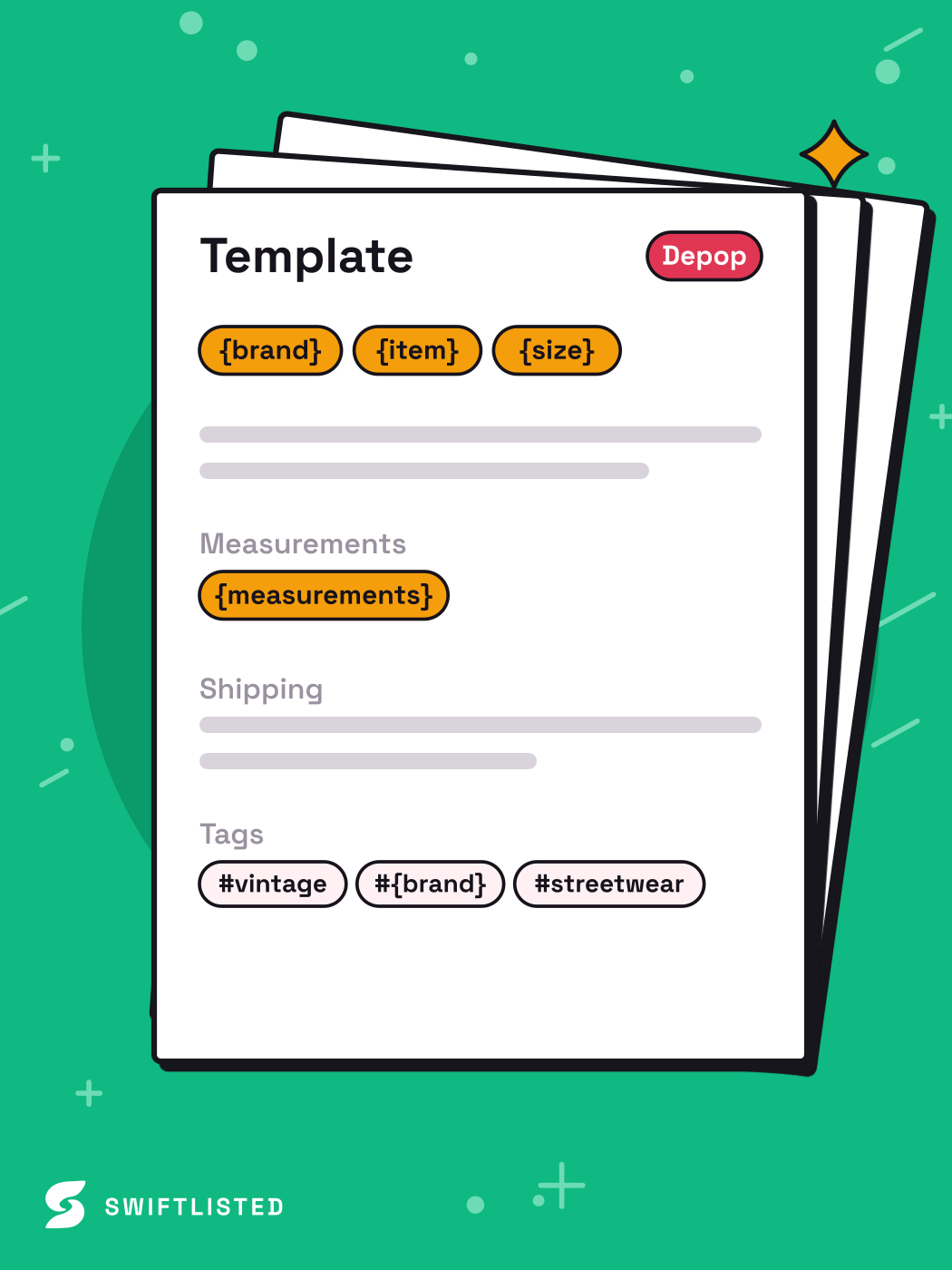
What belongs in a template and what does not
Templates work for text that is the same across many items: your postage wording, your returns and sign-off lines, your standard condition descriptions, and your measurement layout. They do not work for anything specific to one item, such as the actual measurements, flaws, or the brand and size on the tag. If a template fills in a wrong measurement on a jacket you did not check, the buyer gets the wrong information and you are the one who answers the complaint.
Keep the rule simple: the template holds the wording, and you fill in the facts by hand or from the AI draft after checking them against the item.
- Template it: postage and handling wording, returns line, shop sign-off, care and authenticity notes, standard condition scale wording
- Do not template it: measurements, flaws, size, brand, colour and anything you have not inspected yourself
- Keep the placeholders visible, such as [CHEST] or [LENGTH], so you cannot publish a listing with a blank left in
Build the template library in one sitting
Start with the text you have typed most often. Open your last ten listings and copy every block that appears in more than half of them. That is your starting library. Give each block a short name you will recognise, such as SHIP-UK-LETTER, SIGNOFF-MAIN or MEAS-TOP, and store them in one place: a notes file, a spreadsheet, or the defaults screen of whatever tool you use.
Then write a single master description for a typical item in your category and mark the variable parts with placeholders. Test it on three real items before you trust it. The first run will always reveal a block that reads oddly in a different context, and it is far cheaper to fix that now than across two hundred listings.
- Pull the repeated blocks from your last ten listings
- Name each block so the name says what it is
- Write one master description per category with visible placeholders
- Test on three real items and fix anything that reads wrongly
Keep shipping text accurate, because it changes
Postage wording is the block most likely to go stale. Marketplaces set their own shipping features, tracking rules, and how buyers see postage options, and these change over time. A shipping line that was accurate last year can now contradict the marketplace's own shipping fields, which can confuse buyers or cause a dispute.
Check the marketplace's current shipping policy whenever you review your templates, and do not assume a rule you read once still applies. Treat your shipping block as something you re-verify on a schedule, not something you write once and forget.
- Re-check shipping and returns blocks against each marketplace's current policy at least every few months
- Keep the shipping text short and point to the marketplace's shipping fields rather than repeating conflicting detail
- Where a shipping rule differs by marketplace, keep a separate block for each rather than one compromise version
Where templates fail, and how to limit it
The main risk is silent drift: a template gets copied into items it does not suit, and nobody notices. A sign-off that promises something your shop no longer does, or a measurement layout that has a field you no longer record, will sit on every listing until a buyer points it out. Templates multiply mistakes as well as effort.
To limit this, review a random sample of live listings every month, not just the ones you just wrote. Version your templates with a date so you can see which listings used an older wording. Keep one owner for the library, even if that is only you, so that a change in one place is a deliberate change and not an accident. Be aware too that an automation tool filling a template is only as good as the template and the photos behind it, so the same review still applies to anything it generates.
- Sample live listings monthly, not only new ones
- Date each template version so you can find listings that use old wording
- Make every template change deliberately, in one place
Using templates with a crosslisting tool
If you crosslist the same item to several marketplaces, the reuse payoff is largest, because each marketplace would otherwise need its own copy of the same text. Swiftlisted is a crosslisting tool for resellers: you photograph an item once, its AI drafts the title, description, brand, size, condition and category, and it posts to each marketplace you sell on. Each draft lands in an editable grid and nothing is posted until you approve it, so you can apply your template blocks and check the drafted facts before anything goes live.
Remember that a template cannot make a draft correct. Photos with a clear shot of the brand and size tag give the best starting point, and a missing size is flagged rather than guessed. Some marketplaces are reached through an official connection and others through the Swiftlisted Chrome extension, which needs you signed in to that marketplace in the same Chrome profile on a desktop or laptop. Listing from a phone is not supported, so template edits made on one still need to be published from a computer.
- Photograph once, then review the AI draft before you approve it
- Apply your template blocks, then check every fact they sit beside
- Extension-based marketplaces need you signed in in the same Chrome profile on a desktop or laptop
- Check each marketplace's current policy on the wording you use, because rules differ and change
Common questions
- What is a listing template for resellers?
- It is a stored block of wording you reuse across listings, such as your postage line, returns note or shop sign-off. You write it once, keep it in one place, and paste or insert it into each listing, filling in the item-specific facts by hand.
- Should I put measurements in a template?
- Use a measurement layout with placeholders, but never a set of numbers. Each item needs its own measurements taken from the actual garment, or the buyer is misled.
- How often should I update my shipping template?
- Check it against each marketplace's current shipping policy at least every few months and whenever a marketplace announces changes. Rules differ by marketplace and change, so do not rely on an old reading.
- Can a template stop my listings being wrong?
- No. It only keeps your wording consistent. Accuracy depends on checking each item's facts, and a sample review of live listings each month will catch drift that a template spreads across many items.
List once, sell everywhere
Swiftlisted photographs, describes and crosslists your stock across every marketplace you sell on — then delists it everywhere when it sells.
Start free trial